Skip to main content
วิธีเปิด Lead
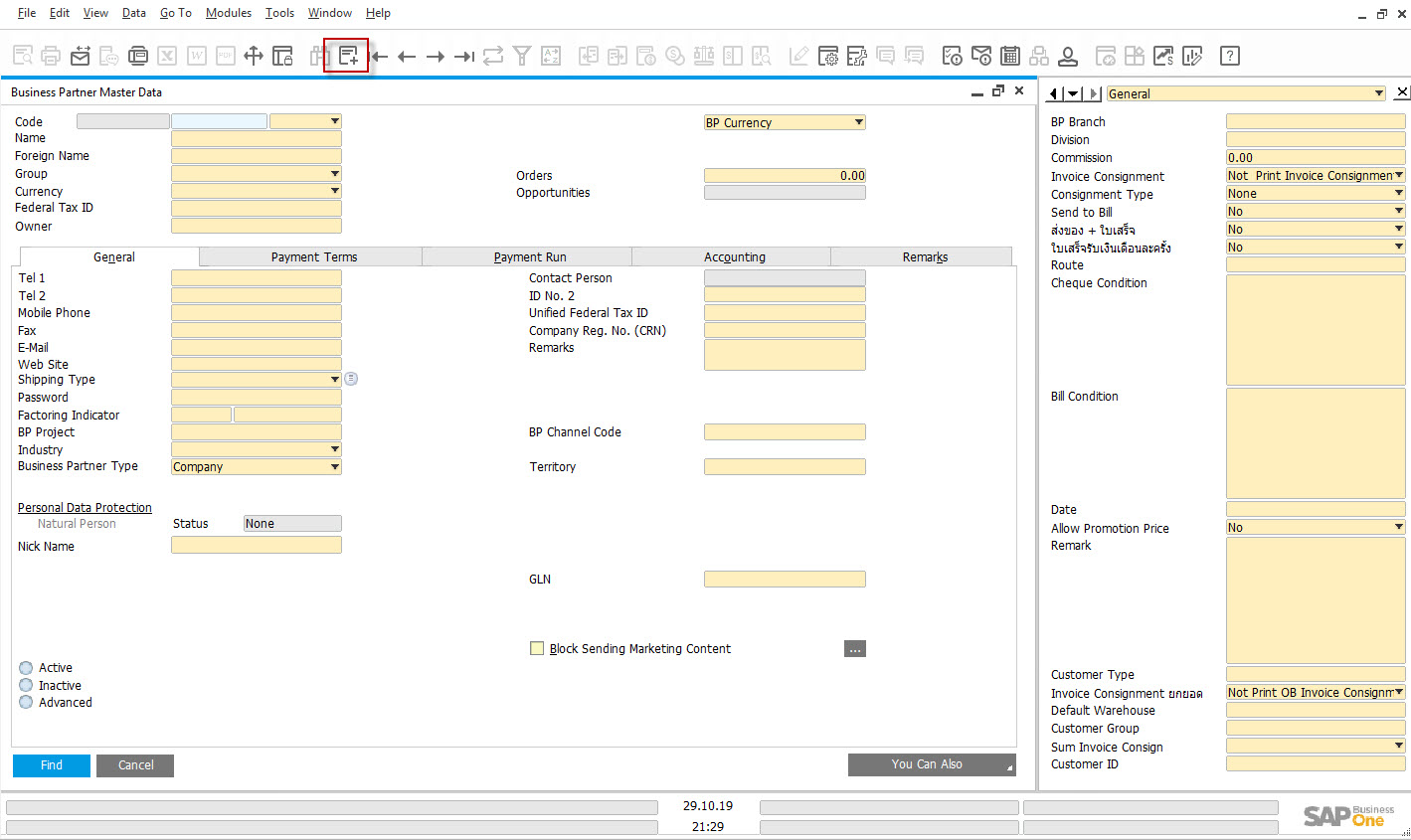
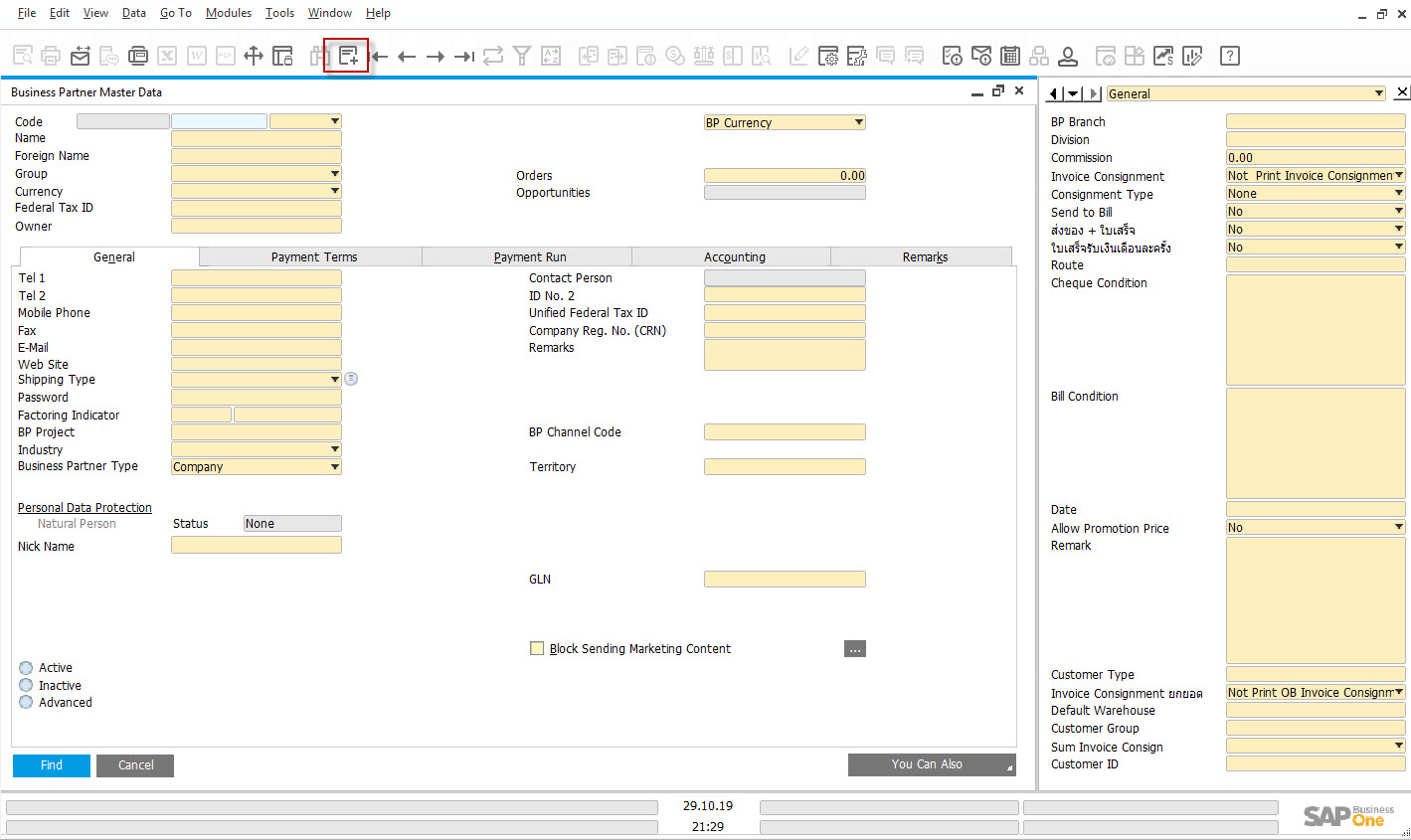
1. กดปุ่ม Add
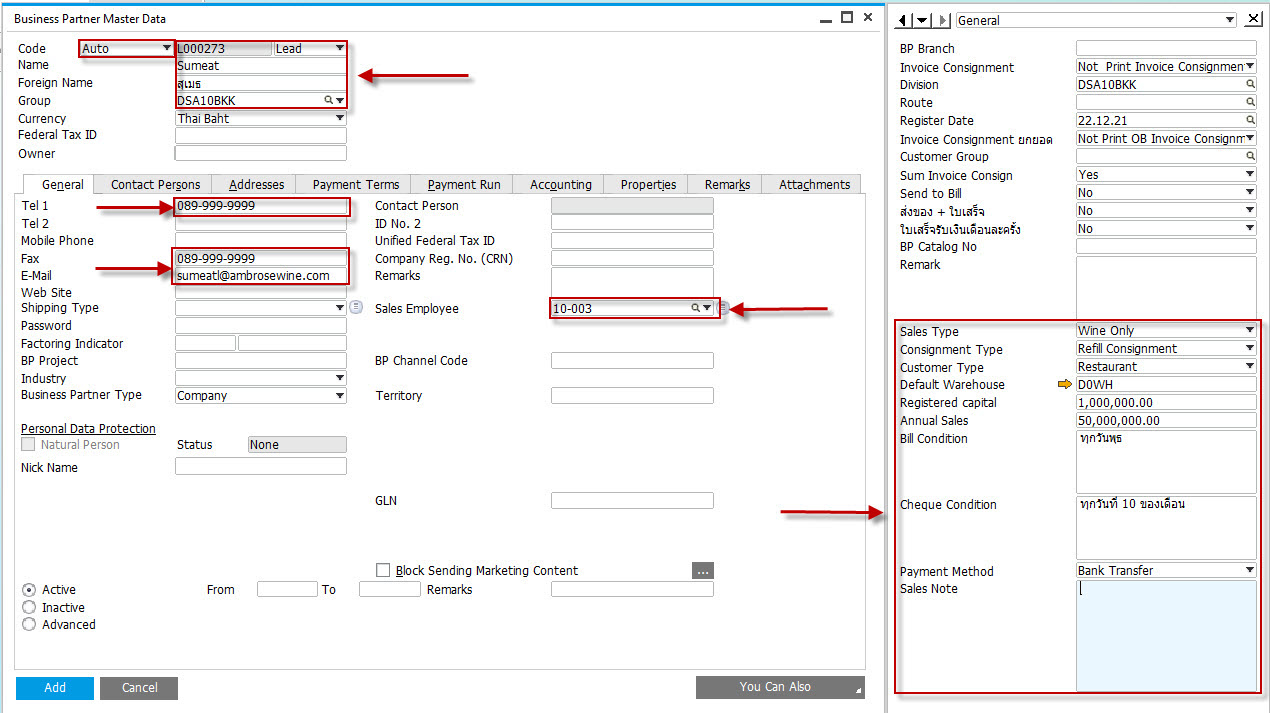
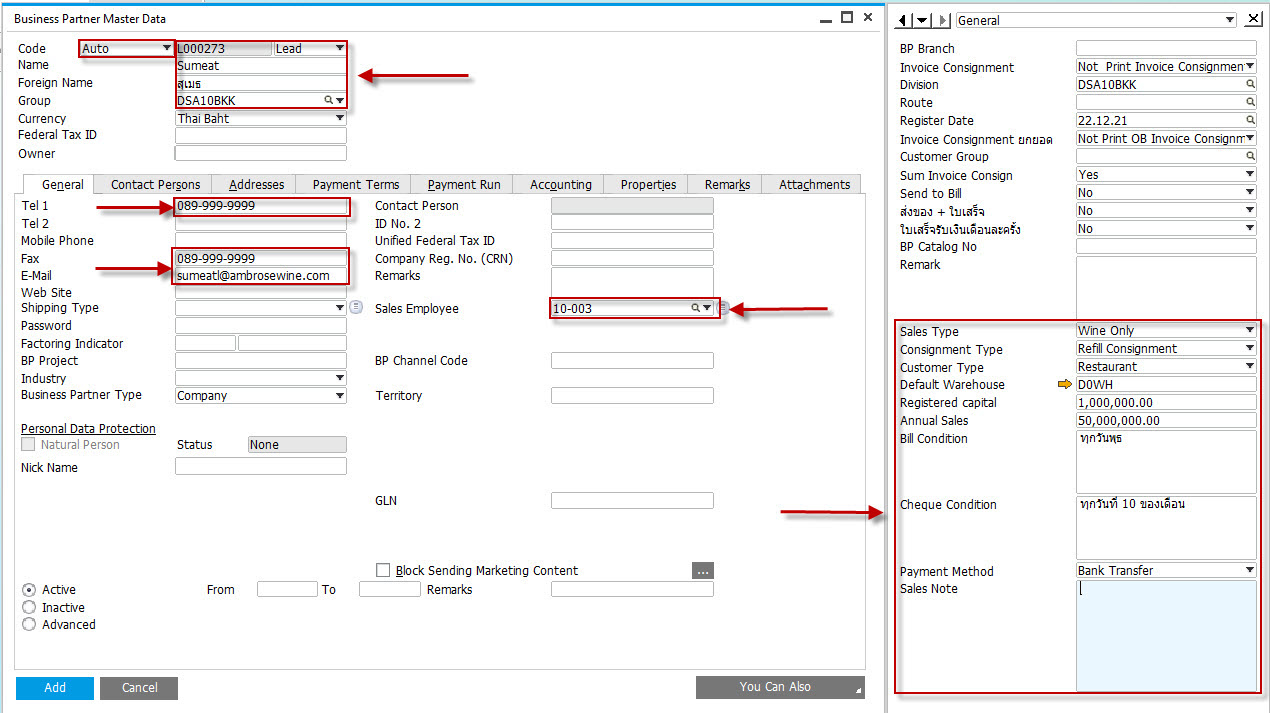
ที่ Tab General:
2. เลือก Lead และระบุ Type เป็น Auto ระบบจะ generate Lead Code ให้อัตโนมัติ
3. ระบุชื่อ Lead ภาษาไทย
4. ระบุชื่อ Lead ภาษาอังกฤษ
5. ระบุ Group (แผนก)
6. ระบุ tel, fax และ email
7. ระบุ default salesman code
8. ระบุ sale type
9. ระบุ consignment type
10. ระบุ customer type
11. ระบุ default warehouse
12. ระบุ registered capital (เงินทุนจดทะเบียน)
13. ระบุ annual sale (ประมาณยอดขายต่อไป)
14. ระบุ bill condition (ระเบียบการวางบิล)
15. ระบุ cheque condition (ระเบียบการจ่ายเงิน)
16. ระบุ payment method
17. ระบุ sales note
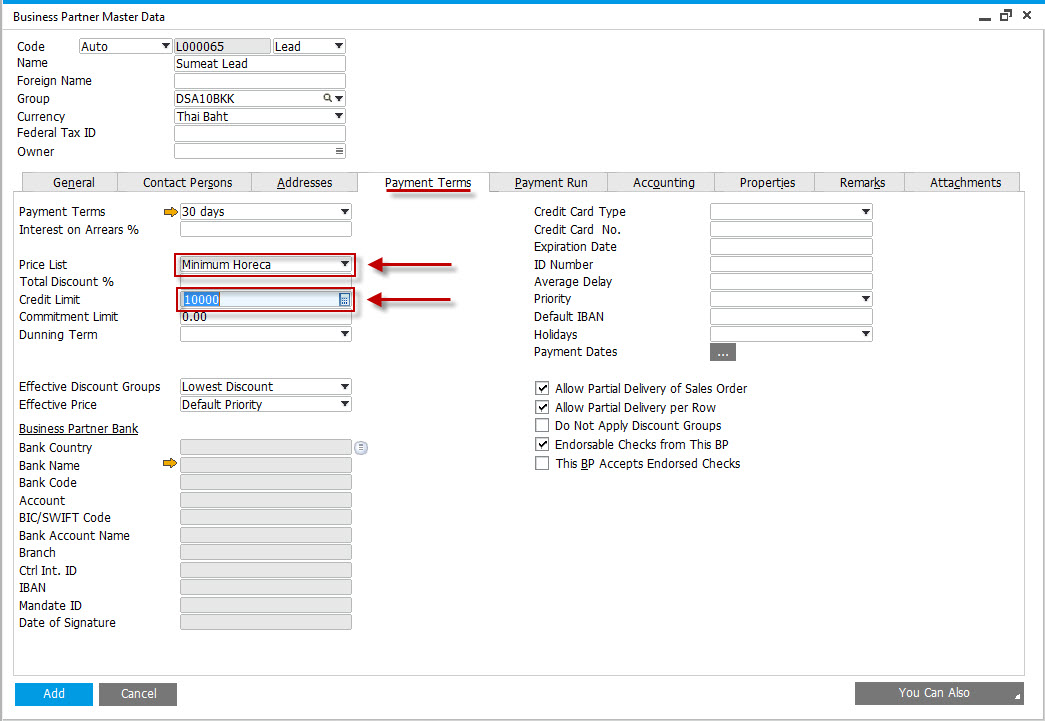
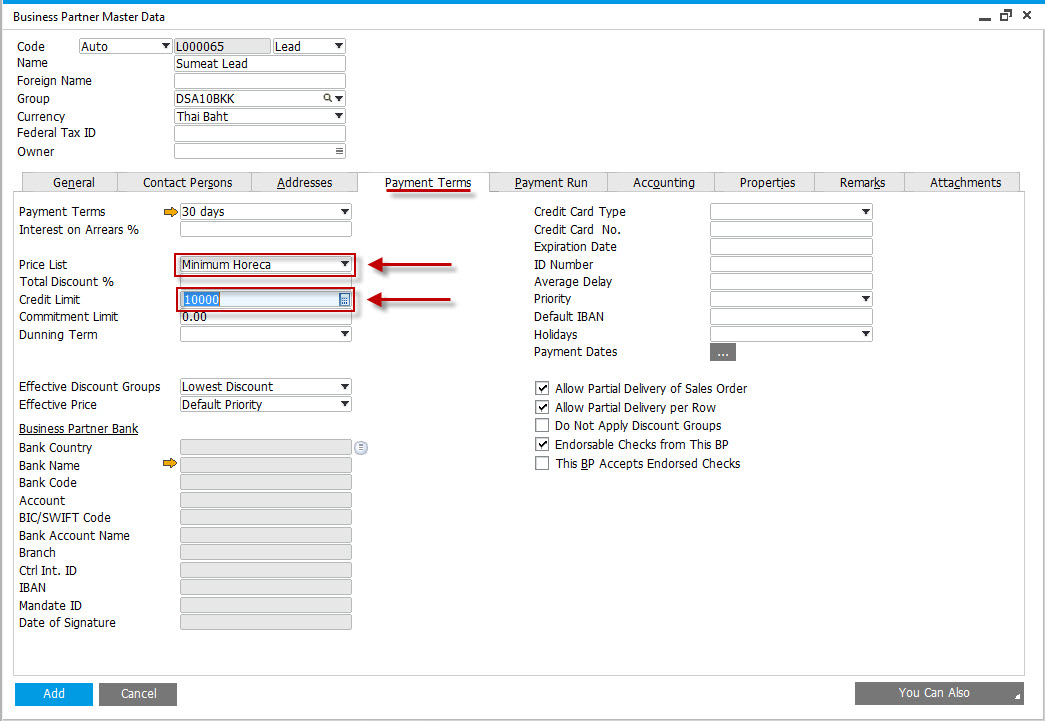
18. ระบบจะ default price list ให้เองตาม customer group และ customer type
19. ที่ Tab Payment Term ระบุ Credit Limited
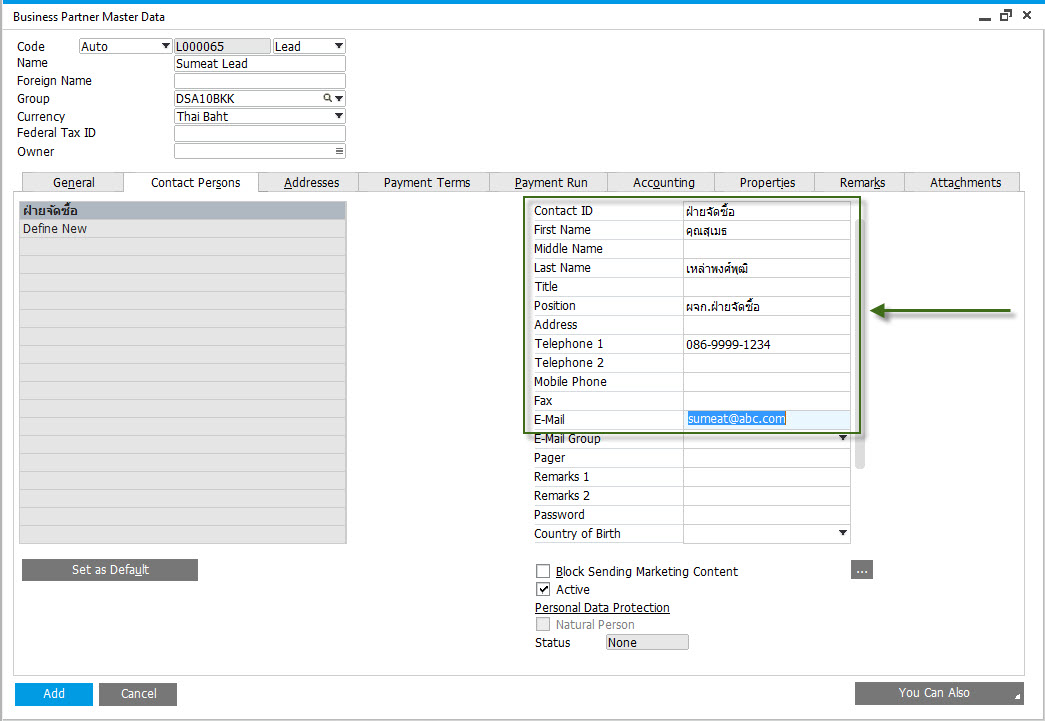
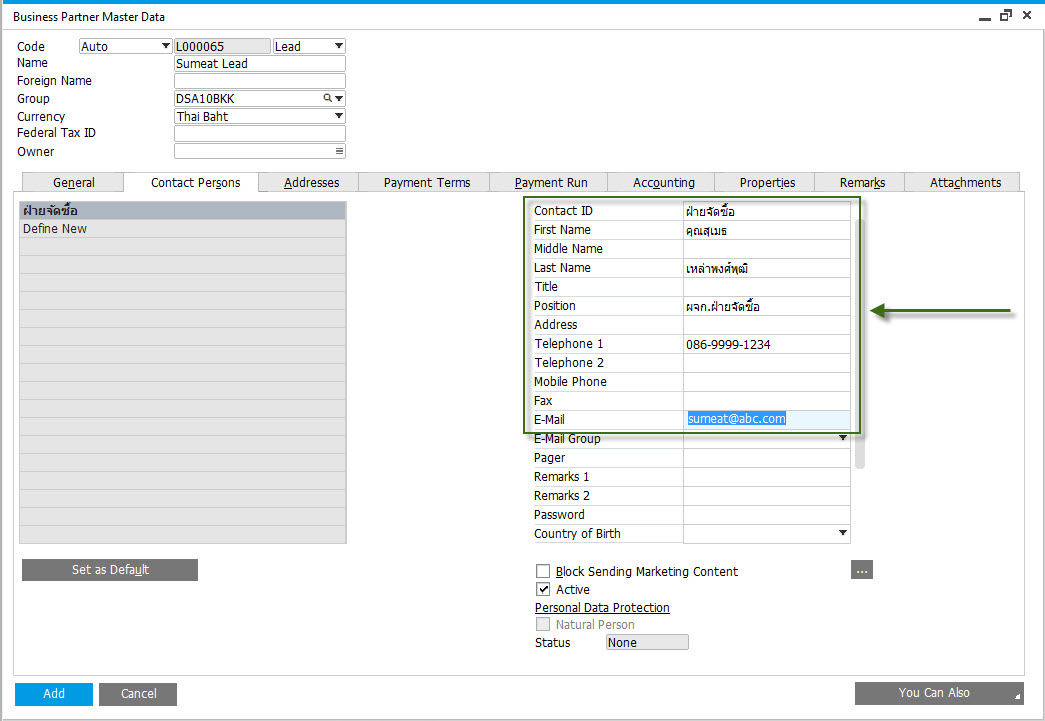
20. ที่ Tab Contact Persons ระบุข้อมูลผู้ติดต่อ
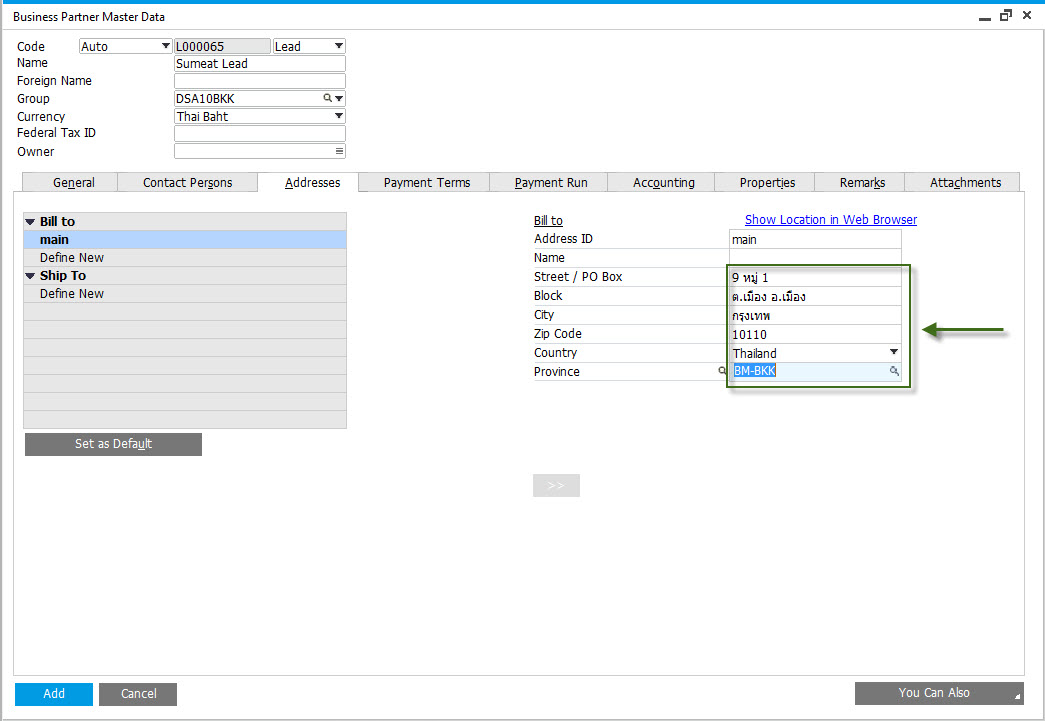
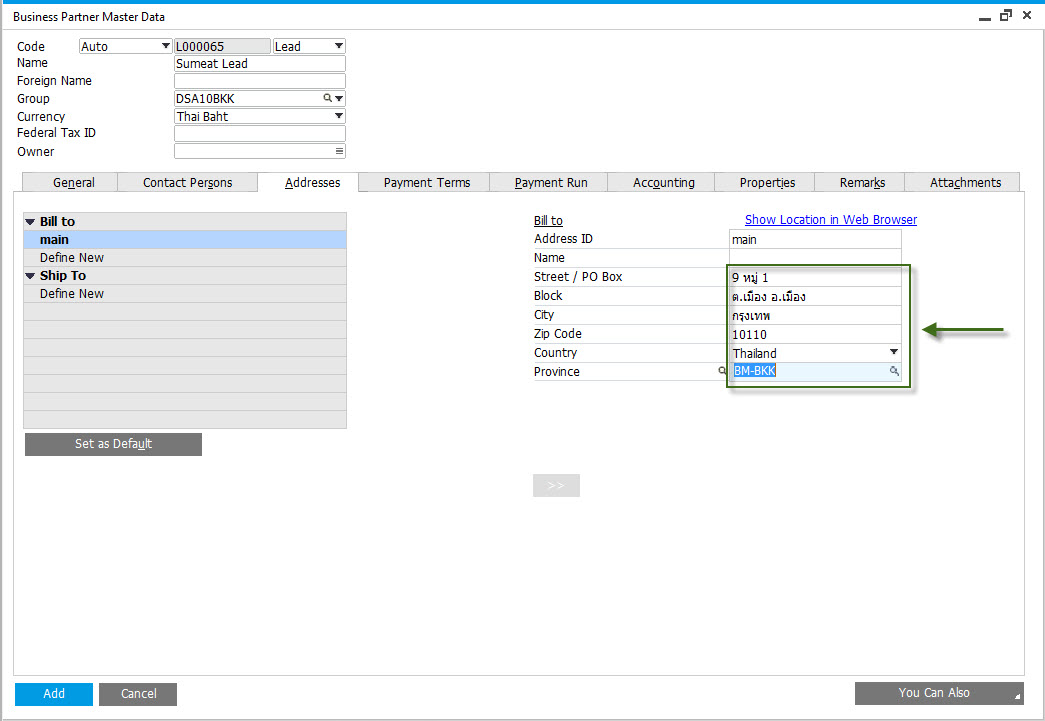
21. ที่ Tab Address ระบุที่อยู่ Bill-to ลูกค้า (ที่อยู่ตามหน้าบัญชี)
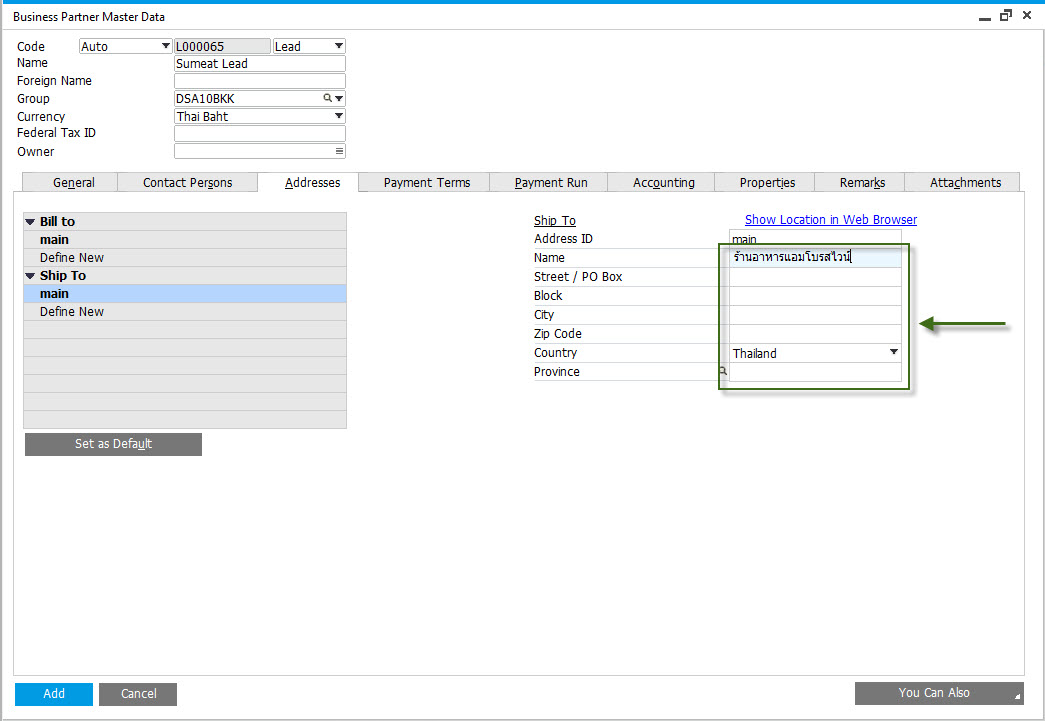
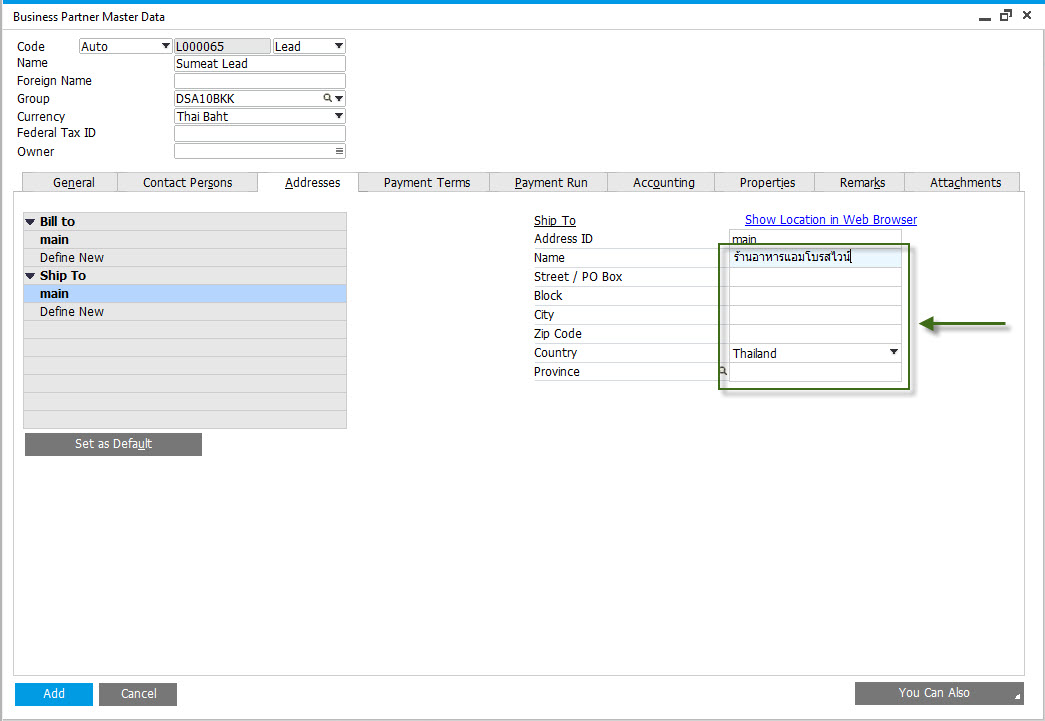
22. ที่ Tab Address ระบุที่อยู่ Ship-to ลูกค้า (ที่ส่งของ)
* ถ้าส่งของตามหน้าบัญชี ข้อมูลนี้สามารถเว้นได้
23. กดปุ่ม Add