
วิธีเช็ค stock สินค้าผ่าน Business One Mobile Application
1. ไปที่ Business One Mobile Application
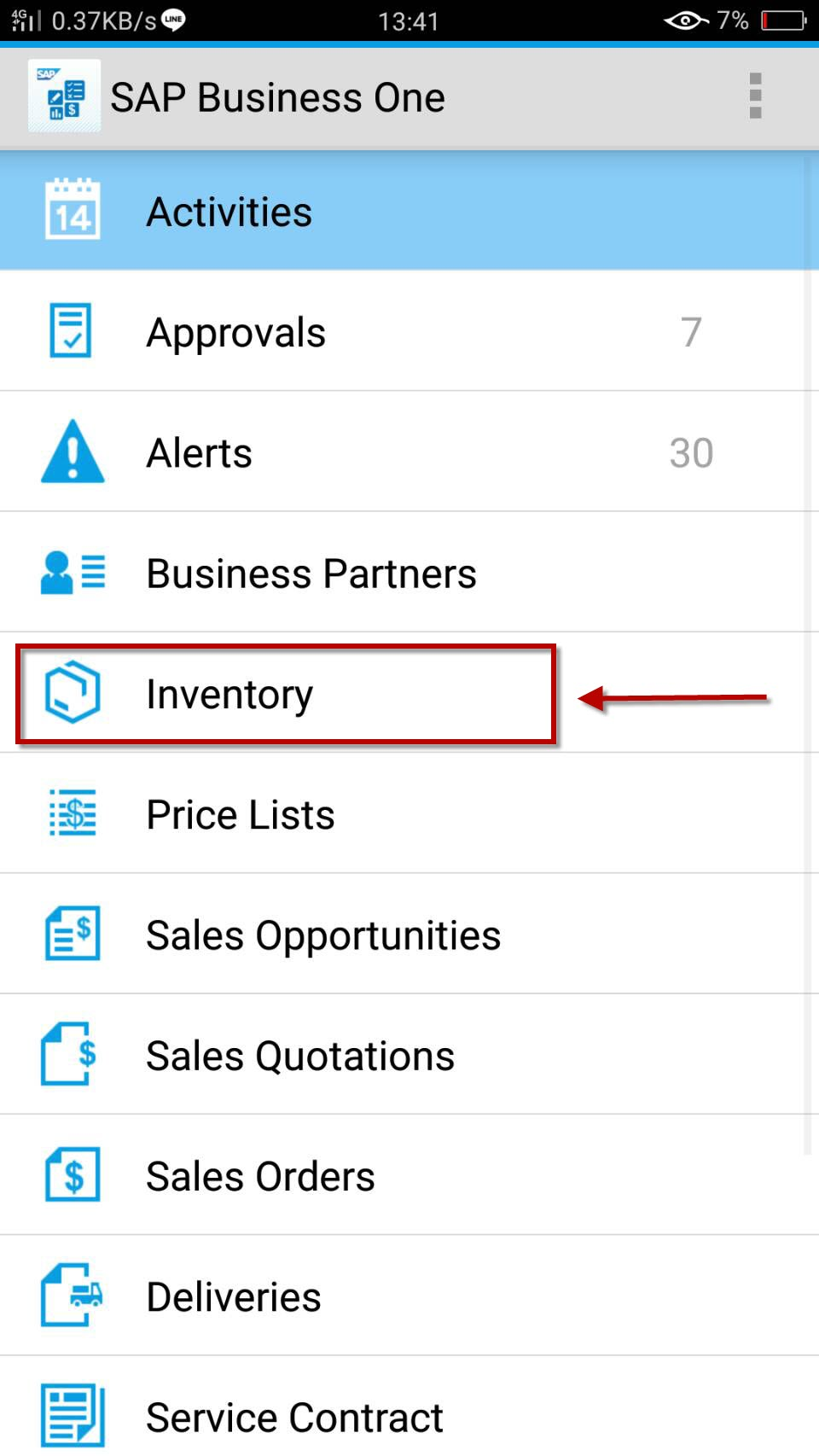
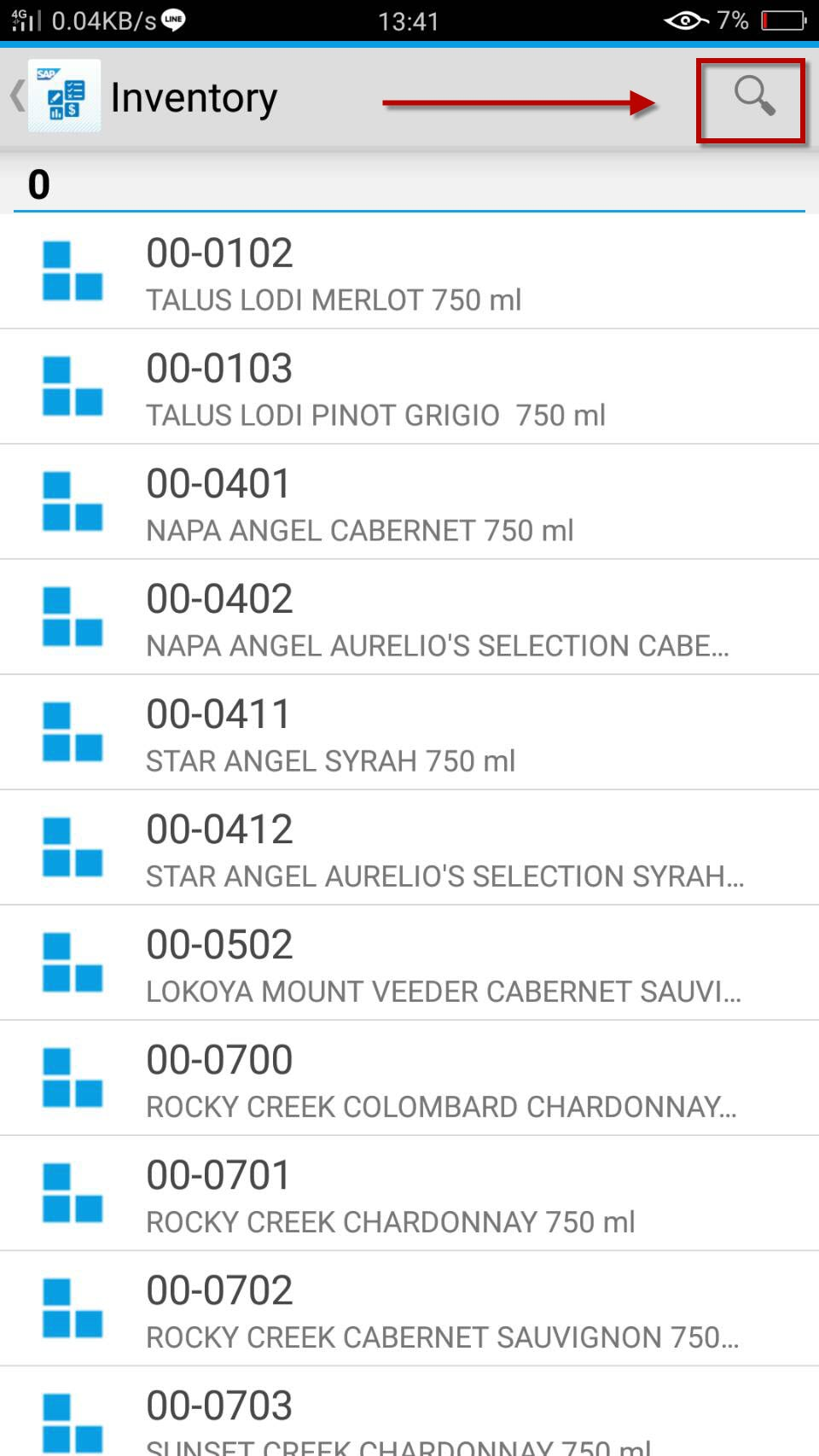
3. เลือก item ที่ต้องการ หรือแตะที่ รูปแว่นขยายเพื่อค้นหา
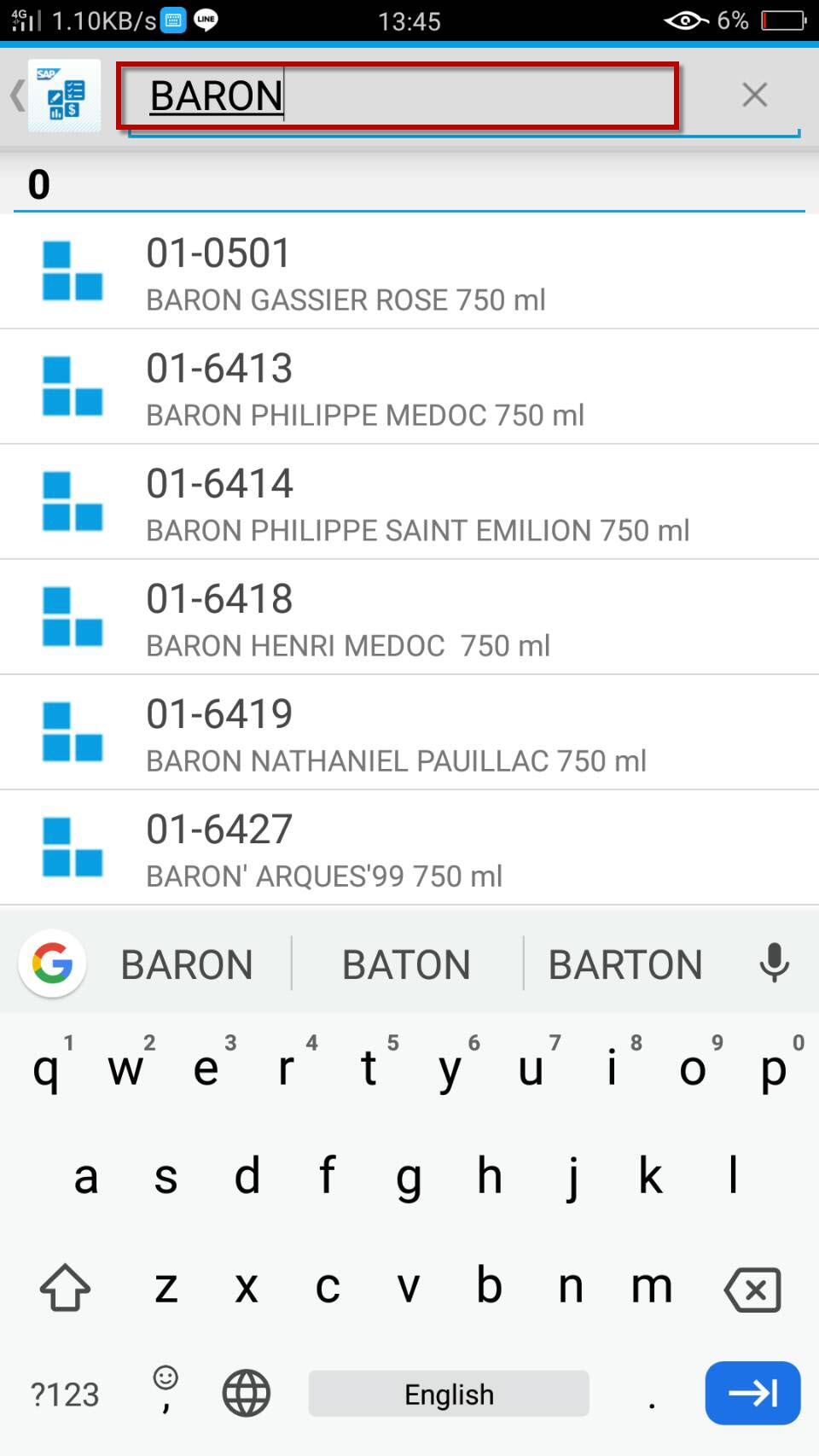
4. พิมพ์ชื่อสินค้าเพื่อค้นหา
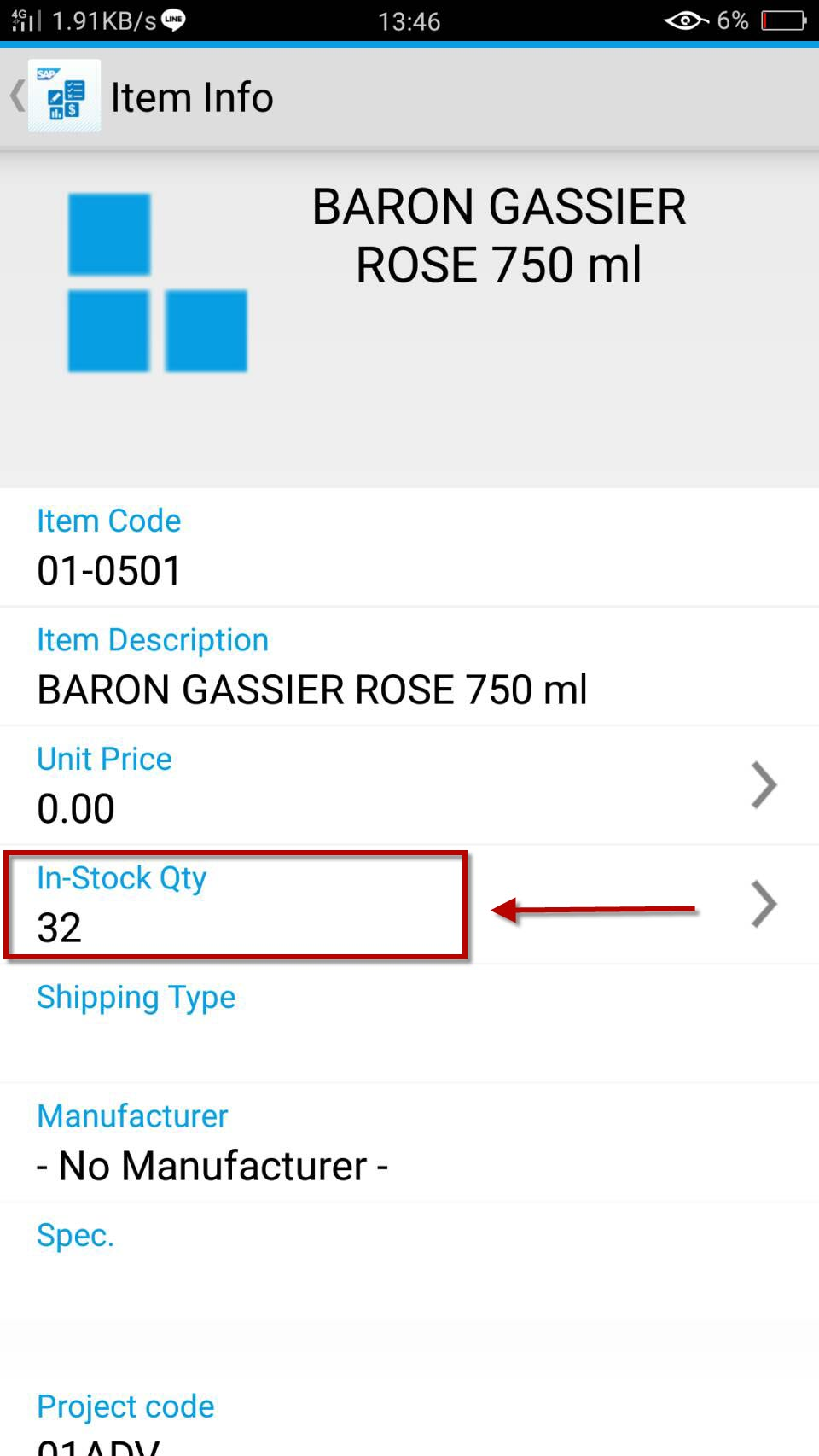
5. จะปรากฏรายละเอียดสินค้า แตะที่ In-Stock Qty
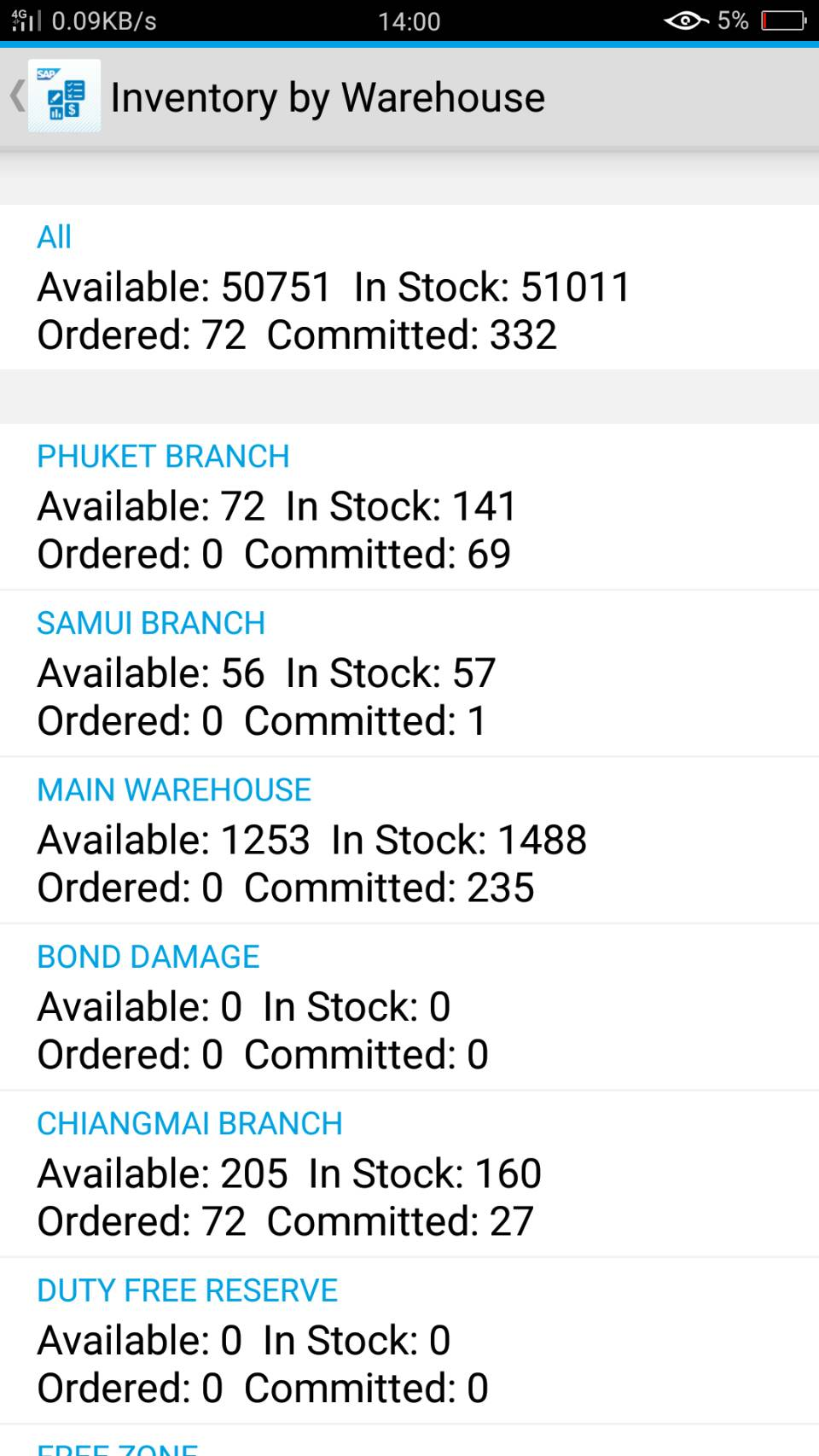
6. จะปรากฏ stock สินค้า แยกตามคลัง
- in stock คือ จำนวนสินค้าที่มีอยู่จริงในคลัง
- committed คือ จำนวนสินค้าที่อยู่ในคำสั่งขาย (Sales order)
- ordered คือ จำนวนสินค้าที่อยู่ระหว่างการจัดซื้อ (Purchase order)
- available คือ จำนวนสินค้า in stock - committed + ordered